
Ai Video Editing Begineer To Pro
About This Course
Program Overview
This comprehensive AI Video Editing: Beginner to Pro course offers a practical and industry-focused journey into the world of AI-powered video creation and editing. Learners will explore the foundations of video production, smart automation tools, prompt-based editing, and advanced AI workflows transforming modern content creation.
By combining creative storytelling with hands-on AI tools such as Runway, Pika Labs, Canva, CapCut, and Adobe Premiere Pro, this course prepares learners to create professional-quality videos efficiently using AI-driven techniques. It is ideal for aspiring content creators, marketers, entrepreneurs, and anyone looking to build a career in digital media.
Core Learning Objectives
By the end of this course, learners will be able to:
-
Understand the fundamentals of video editing and AI-powered content creation.
-
Generate high-quality videos using prompt engineering techniques.
-
Edit, enhance, and automate workflows using AI video tools.
-
Apply transitions, color grading, subtitles, and sound design professionally.
-
Create engaging social media, YouTube, and promotional videos.
-
Optimize videos for different platforms and audiences.
-
Build a professional video editing portfolio.
-
Understand monetization and freelance opportunities in AI video production.
Detailed Course Structure
Module 1: Introduction to AI Video Editing
Learn the basics of video editing, storytelling, formats, resolution, frame rates, and how AI is transforming video production workflows.
Module 2: Prompt Engineering for AI Video
Understand how to write powerful prompts for AI video generation tools and create cinematic scenes using text-to-video platforms.
Module 3: AI Video Generation Tools
Explore practical use of tools like Runway, Pika Labs, Canva AI, and other emerging platforms for creating AI-generated visuals and animations.
Module 4: Editing Fundamentals (Beginner Level)
Learn trimming, cutting, transitions, background music, subtitles, and exporting videos using beginner-friendly platforms.
Module 5: Advanced Editing & Effects
Apply advanced transitions, motion graphics, AI background removal, auto-captioning, voice enhancement, and color grading techniques.
Module 6: AI Avatars & Voice Generation
Create AI presenters, voiceovers, and explainer-style videos using AI avatar and voice tools for marketing and educational content.
Module 7: Social Media Optimization
Understand how to edit and format videos for YouTube, Instagram Reels, TikTok, LinkedIn, and ad campaigns for maximum engagement.
Module 8: Freelancing, Portfolio & Monetization
Learn how to build a strong portfolio, attract clients, price services, and generate income through freelancing and agency work.
Expected Outcome
Upon successful completion, participants will:
-
Possess strong practical skills in AI-based video editing.
-
Be able to create professional, high-engagement videos independently.
-
Gain confidence in using industry tools for commercial projects.
-
Be prepared to work as freelance video editors or join digital media teams.
-
Progress toward advanced creative or production-level roles.
Who Is This Course For?
-
Aspiring video editors and content creators.
-
Social media managers and digital marketers.
-
Entrepreneurs and business owners creating promotional content.
-
Students and career changers entering the media industry.
-
Anyone interested in AI-driven video production and automation.
Career Opportunities
Completion of this course opens doors to growing roles in the digital media and creative industry, such as:
-
AI Video Editor (£22,000 – £35,000)
-
Social Media Video Creator (£20,000 – £30,000)
-
Content Creator / YouTuber (income varies by monetization)
-
Video Marketing Specialist (£25,000 – £40,000)
-
Freelance AI Video Editor (£500 – £3,000+ per project depending on scope)
This course equips learners with future-ready skills in AI-driven creativity, positioning them strongly in the fast-evolving digital content economy. 🚀
Learning Objectives
Curriculum
Workplace Ready: AI Video Editing: Beginner to Pro
Introduction to AI Video Editing: Beginner to Pro – Modules
Google VEO 3 Practical Tutorial00:12:18
OpenAI Sora Practical Tutorial00:23:07
HeyGen / Kling AI Practical Tutorial00:11:12
Filmora AI Practical Tutorial00:10:35
Canva AI Video – Practicle Tutorial00:10:56
Google Whisk Practical Tutorial00:09:44
AI Video Editing: Beginner to Pro Practical Training Work – Assignment Submission Instructions
1. Microsoft Office Suite / Google Workspace – Practical Work
2. Google Calendar / Calendly – Practical Work
3. Monday.com – Practical Work
4.Prompt Engineering – ChatGPT & AI Tools – Practical Work
5. Google VEO 3 / Google Flow – Practicle Workcument
6.OpenAI Sora – Practicle Workcument
7. HeyGen / Kling AI – Practicle Workcument
8.Filmora AI – Practicle Workcument
9. Canva AI Video – Practicle Workcument
10. Google Whisk – Practicle Workcument
Your Instructors

Tunir Ghosh
See more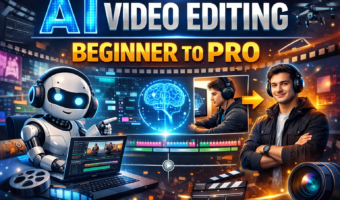
£ 599.00£ 699.00

Technological Management – Practical Training Work
£ 599.00£ 699.00

Industry Career Blueprint Course – Operation Management
£ 599.00£ 699.00

Industry Career Blueprint Course – Digital Marketing
£ 599.00£ 699.00